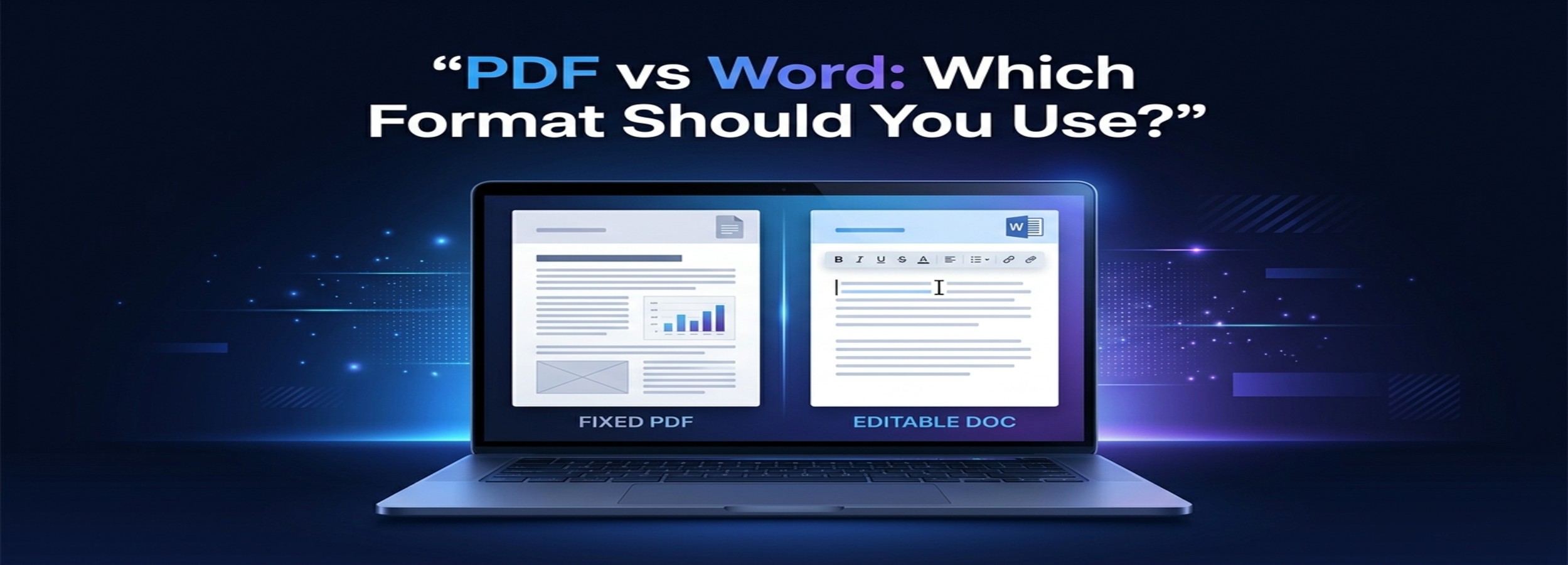
PDF vs Word: Which Format Should You Use?

PDF and Word are two of the most widely used document formats today. You probably use both regularly: Word for writing and editing, and PDF for sharing, printing, or submitting finished documents.
But choosing between them is not always straightforward.
A resume, business proposal, school assignment, invoice, report, contract, or digital guide may work better in one format than the other. Choosing the wrong format can lead to unnecessary problems with editing, formatting, compatibility, file size, or collaboration.
So, which format should you use?
The simplest answer is this:
Use Word when a document needs to be created, edited, or collaboratively revised. Use PDF when a document is finished and you want its appearance to remain consistent.
That rule covers most everyday situations, but there are important exceptions. Understanding the strengths and limitations of each format will help you make a better choice before sending, uploading, printing, or publishing a document.
What Is a PDF?
PDF stands for Portable Document Format. It is designed to preserve the appearance and layout of a document across different devices and software environments.
A PDF can contain text, images, graphics, hyperlinks, forms, annotations, and other elements. One of its defining characteristics is its fixed-page structure.
If you create a document with specific margins, fonts, images, tables, page numbers, and spacing, a PDF is designed to preserve that presentation when someone else opens it.
This makes PDF particularly useful for documents that are ready for distribution.
For example, imagine creating a 20-page business proposal containing a company logo, photographs, tables, headings, and carefully arranged page layouts. If you send the editable source file, the appearance can sometimes change depending on the recipient's software or available fonts.
A PDF provides a much more stable representation of the finished document.
PDF files are also widely supported. Modern computers, smartphones, tablets, and web browsers can generally open them without requiring Microsoft Word.
That combination of portability and layout consistency is one of the main reasons PDF remains so popular.
What Is a Word Document?
A Word document is most commonly associated with Microsoft's .docx format, although older versions of Microsoft Word used the .doc extension.
Word is primarily designed for creating and editing documents.
You can change paragraphs, rewrite sentences, move images, modify tables, add comments, reorganize sections, and track revisions. This makes Word particularly useful while a document is still being developed.
Word is therefore best understood as an editable working format.
If several people are preparing a report, for example, they may need to add information, correct errors, rewrite sections, insert comments, and review proposed changes. Word is designed for this kind of workflow.
It also provides tools for long documents, including heading styles, automatic tables of contents, page numbering, comments, references, and revision tracking.
The trade-off is that the appearance of a Word document can sometimes vary depending on the software, fonts, operating system, or settings used to open it.
PDF vs Word: The Main Difference
The fundamental difference is fixed presentation versus editable content.
A PDF is generally intended to preserve a document as a finished piece of content. Word is intended to make that content easier to create and modify.
Think of it this way:
Word is the working document. PDF is often the finished document.
That does not mean PDFs cannot be edited. Modern PDF software can modify text, add annotations, fill forms, rearrange pages, and perform many other operations.
Likewise, Word can produce highly professional documents with sophisticated layouts.
The difference is mainly about the purpose of the file.
If the document is still changing, Word usually makes more sense.
If the document is finished and needs to be distributed consistently, PDF usually has the advantage.
PDF vs Word: Quick Comparison
| Feature | Word | |
|---|---|---|
| Main purpose | Sharing and preserving documents | Creating and editing documents |
| Editing | Possible, but often less convenient | Excellent |
| Layout consistency | Excellent | Can vary |
| Collaboration | Good for review | Excellent for editing |
| Printing | Excellent | Very good |
| Compatibility | Very broad | Depends more on compatible software |
| Forms | Strong | Possible |
| Professional distribution | Excellent | Good |
| Content reuse | Moderate | Excellent |
| Final documents | Excellent | Usually less suitable |
| Active drafts | Less convenient | Excellent |
| Archiving | Useful for fixed versions | Useful as a source file |
Neither format is universally better. The right choice depends on what you want the document to accomplish.
When Should You Use PDF?
PDF is generally the better choice when your priority is preserving the final appearance of a document.
When You Are Sending a Final Document
If you have finished a document and do not want the recipient to accidentally change its content, PDF is often the logical choice.
Common examples include:
- Final reports
- Business proposals
- Invoices
- Brochures
- Certificates
- Product catalogs
- Ebooks
- Completed forms
- Official notices
- Application documents
A PDF communicates that the document is intended primarily to be viewed, reviewed, printed, or stored rather than rewritten.
When Formatting Matters
Formatting can be extremely important.
A document may contain carefully positioned images, columns, tables, logos, page numbers, and specific fonts. When an editable document is opened on another computer, differences in software or fonts can sometimes affect its appearance.
PDF is designed to minimize this problem by preserving the document's visual structure.
This makes it particularly useful for professionally designed documents.
When You Need Reliable Printing
PDF is commonly used when consistent printing is important.
Suppose you create a six-page brochure and need the page breaks, images, margins, and text positioning to remain exactly as designed.
A PDF provides a stable representation of those pages, making it suitable for printing from another device or sending to a printing service.
When Sharing With People Who May Not Have Word
Not everyone has Microsoft Word installed.
A recipient may use another word processor, a different operating system, or simply prefer viewing documents in a browser.
PDF is convenient in these situations because modern browsers and operating systems generally provide built-in or readily available PDF viewing capabilities.
When You Need a Controlled Final Copy
Depending on the software used, PDF files can support security features such as passwords, permissions, encryption, and digital signatures.
These features can be useful for business and administrative documents.
However, saving a file as PDF does not automatically make it secure. Sensitive information should still be protected through appropriate access controls and secure sharing methods.
When Should You Use Word?
Word is usually the better choice when a document is still being created, reviewed, or modified.
When You Expect Future Editing
If you know a document will change, keeping an editable Word version is usually the smarter option.
For example, a company might have a monthly report that follows the same structure but contains different figures every month. Maintaining a Word version makes updating the report much easier.
The same principle applies to:
- Resumes
- Cover letters
- Business plans
- Meeting agendas
- Internal reports
- Project documentation
- Research drafts
- Training materials
- Documents under revision
For occasional PDF conversions, you can keep the original Word file and create a PDF whenever a final copy is needed. ZUQREN provides a dedicated Word To PDF tool as part of its collection of online PDF utilities.
When Multiple People Need to Edit the Document
Collaboration is one of Word's strongest use cases.
A team may need to rewrite paragraphs, add comments, correct mistakes, insert information, or review changes before publication.
Word supports these workflows much more naturally than a fixed PDF.
Track Changes and comments are particularly useful when multiple people need to review a document before it becomes final.
When You Are Writing a Long Document
Word provides tools specifically designed for document creation.
For a thesis, research paper, business report, manuscript, or long technical document, features such as heading styles, automatic tables of contents, page numbering, references, and revision tools can make the writing process considerably easier.
However, this does not necessarily mean Word should be the final distribution format.
A common workflow is to write and edit the document in Word and export the finished version to PDF.
When You Need to Reuse Content
Editable documents are also useful when content needs to be copied, reorganized, or incorporated into another document.
A company might maintain a master Word document containing product descriptions, company information, standard paragraphs, and other reusable material.
Keeping this information editable makes future changes much easier.
PDF vs Word for Resumes
Resumes are a good example of a situation where both formats can make sense.
If an employer specifically requests a Word document, provide a Word document.
If the employer requests a PDF, provide a PDF.
If no format is specified, PDF is often a sensible option when preserving the resume's formatting is important.
A professionally designed resume may contain carefully aligned sections, columns, icons, dates, and spacing. PDF helps maintain that visual structure when the file is opened on another computer.
However, some recruitment systems or employers may have specific requirements. Always follow the instructions associated with the application.
A practical approach is to maintain your master resume in Word and create a PDF version whenever you need a fixed copy for submission.
PDF vs Word for Business Documents
Businesses often need both formats.
A proposal may be created in Word because several employees need to edit it. Once the content is approved, the final document can be exported to PDF and sent to the client.
The same workflow works well for reports, quotations, policies, manuals, invoices, and other business documents.
A typical process looks like this:
Create → Edit → Review → Finalize → Export to PDF → Share
This gives you the flexibility of Word during production and the stability of PDF during distribution.
For documents that are frequently updated, keeping both versions can be especially useful. The Word file becomes the editable source, while the PDF represents a specific finalized version.
PDF vs Word for Students
Students commonly use both formats.
Word is useful for writing assignments, research papers, essays, notes, and drafts. It makes it easy to revise paragraphs, reorganize sections, and respond to teacher or instructor feedback.
PDF is useful when submitting a finished assignment if the school or instructor requests it.
It is also useful for sharing completed projects and documents where preserving the original layout matters.
A good habit is to keep the editable Word version until the project is completely finished. Then create the required final format.
PDF vs Word for Forms
Forms require a little more consideration.
A Word document can work well as a form template, especially when the form itself needs to be edited frequently.
PDF is often more appropriate when distributing a finalized form. Depending on how the PDF was created, users can enter information into designated fields while the underlying layout remains fixed.
This can be useful for:
- Applications
- Administrative forms
- Questionnaires
- Business paperwork
- Registration documents
If you are designing a form, Word can be convenient during development. If you are distributing a completed or fillable version, PDF may be more appropriate.
PDF vs Word for Legal Documents
Legal documents can contain important and sensitive information, so the required format should always be determined by the relevant organization, legal professional, court, government agency, or other authority.
There is no universal rule that every legal document should be PDF or Word.
During drafting and negotiation, Word can be extremely useful because multiple parties may need to edit clauses, add comments, and track revisions.
Once the document is finalized, PDF may be preferred for distribution because it provides a stable representation of the completed document.
For documents requiring signatures, digital-signature requirements should also be considered separately from the choice of file format.
Which Format Is Better for Editing?
Word wins.
This is one of the clearest differences between the two formats.
Word was built around document creation and editing. You can place the cursor in a paragraph, rewrite text, move sections, change formatting, and restructure the document quickly.
PDF editors have become much more capable, but extensive editing can still be less convenient, especially when a document contains complex layouts.
For major revisions, the original Word document is usually the better starting point.
Which Format Is Better for Sharing?
PDF usually wins for finalized documents.
If the recipient only needs to read the document rather than modify it, PDF is generally more appropriate.
The recipient does not need the same word-processing environment to view the file, and the layout is intended to remain stable.
For internal collaboration, however, Word may be preferable because sharing often involves editing rather than simply viewing.
Which Format Is Better for Printing?
PDF generally has the advantage.
Printing requires predictable page layout.
A PDF is designed to represent pages consistently, making it a practical choice when exact formatting matters, particularly if the document will be printed on another computer or sent to a professional printer.
Word documents can also print correctly, but PDF reduces uncertainty about how the final pages will appear.
Which Format Is Better for File Size?
There is no universal winner.
File size depends on what the document contains, how images are compressed, and how the file is generated.
A simple Word document may be smaller than a PDF, while another document may produce a smaller PDF.
Images are often one of the biggest factors.
A document containing multiple high-resolution photographs can become large regardless of the format.
If file size is important, consider optimizing images before inserting them and compressing the final document when appropriate.
If you already have a PDF that is too large to email or upload, a PDF Compressor can be useful for reducing its size while keeping the document in PDF format. ZUQREN lists PDF compression among its online PDF tools.
Which Format Is More Secure?
Security is not simply a matter of choosing PDF over Word.
Both formats can contain sensitive information, and both can support different security mechanisms depending on the software used.
PDF may support password protection, permissions, encryption, and digital signatures. Word documents can also be protected with passwords and other security features.
The more important question is not simply which format is more secure, but how the file is protected, transmitted, stored, and accessed.
For confidential documents, use appropriate access controls and secure sharing methods in addition to choosing the file format.
Can You Convert Word to PDF?
Yes.
Converting Word to PDF is one of the most common document workflows.
The general process is straightforward:
- Open the finished Word document.
- Review the formatting and page breaks.
- Choose the option to save or export the document as PDF.
- Open the resulting PDF.
- Check the document before sending or uploading it.
That final check is important.
Conversion can occasionally reveal unexpected page breaks, font issues, image changes, or other formatting differences.
If the document is important, always inspect the final PDF before distributing it.
You can also use an online tool such as ZUQREN's Word To PDF converter when you need to convert a Word document into a PDF format.
Can You Convert PDF to Word?
Yes, but the result depends heavily on how the PDF was created.
A PDF containing selectable text is generally easier to convert into an editable Word document than a scanned PDF consisting primarily of images.
For scanned documents, OCR (Optical Character Recognition) may be necessary to recognize the text.
Even after conversion, the resulting Word document may require cleanup.
Tables, columns, images, headers, footers, and unusual layouts can be difficult to reproduce perfectly in an editable document.
This means PDF-to-Word conversion should generally be viewed as a way to recover editable content rather than a guarantee of a perfect copy of the original layout.
If you need to recover editable text from an existing PDF, ZUQREN includes a PDF to Word tool among its online PDF utilities.
For sensitive documents, however, always consider the privacy and data-handling practices of an online service before uploading files.
What About Scanned PDFs?
Scanned PDFs deserve special attention because they may not contain actual machine-readable text.
When a paper document is scanned, each page may essentially become an image. You can see the words, but software may not be able to select, search, or edit them as normal text.
OCR can help by analyzing the image and converting recognized characters into digital text.
OCR can be useful for:
- Old documents
- Receipts
- Printed forms
- Books
- Invoices
- Historical records
- Handouts
- Scanned reports
Accuracy depends on factors such as scan quality, typography, language, image resolution, and the condition of the original document.
Important documents should always be reviewed after OCR processing.
PDF vs Word for Accessibility
Accessibility matters regardless of the format.
A well-structured Word document can provide useful information about headings, document structure, reading order, and alternative text.
A properly created PDF can also support accessibility features.
However, simply converting a poorly structured Word document into PDF does not automatically make it accessible.
For important documents, accessibility should be considered during creation rather than treated as a final step.
Use meaningful headings, readable typography, sufficient contrast, descriptive alternative text where appropriate, logical reading order, and properly structured tables.
If a document will be distributed widely, check the accessibility requirements of the relevant organization or platform.
PDF vs Word for Online Publishing
The choice can also matter when documents are published online.
HTML is generally better suited to ordinary web pages because browsers and search engines can work directly with web content.
PDF can still be valuable for downloadable reports, manuals, research documents, whitepapers, ebooks, and other resources where users need a document they can save or print.
Word is generally better treated as the source format rather than the primary format for publishing finished content on a public website.
For example, a company might write a technical guide in Word, export it as PDF for users who want a downloadable copy, and publish an HTML version for visitors who prefer reading online.
The right choice depends on how the audience is expected to consume the content.
Should You Keep Both PDF and Word Versions?
In many situations, yes.
Keeping both versions gives you the advantages of each format.
The Word file acts as your editable master copy. The PDF acts as the finalized distribution copy.
Consider a company preparing an annual report.
The team may spend weeks editing the Word document. Once the content is approved, they export the final version as PDF.
If a correction is required later, the editable Word file remains available. If someone needs to verify exactly what was published at a particular time, the finalized PDF provides a stable reference.
This separation between source document and final document can make document management much easier.
Common Mistakes When Choosing Between PDF and Word
Sending a Word File When the Document Is Final
If the recipient only needs to read or print the document, sending an editable file may create unnecessary risk.
The document could be modified accidentally, and its appearance may vary across systems.
Converting Everything to PDF Too Early
The opposite mistake is converting a document to PDF while it is still being edited.
Once the document is converted, making major changes can be less convenient.
Keep working documents editable until the content and formatting are finalized.
Assuming PDF Means Perfect Security
A PDF can be protected, but simply saving a document as PDF does not automatically make confidential information secure.
Security depends on the tools and settings used and how the file is subsequently shared and stored.
Ignoring the Recipient's Requirements
If a university, employer, client, government service, or other organization specifies a file format, follow those instructions.
Even if another format seems technically better, using the requested format is more important.
Forgetting to Check the Final PDF
Always open an exported PDF before sending it.
Check page breaks, images, tables, hyperlinks, headings, and the overall appearance.
A document that looked correct in Word should still receive a final inspection after conversion.
What If You Need to Combine PDF Files?
Sometimes the question is not whether to use PDF or Word, but what to do with several PDF files after you have finished working with them.
For example, you may have separate pages for a report, invoice, appendix, and supporting documents.
In that situation, combining them into a single PDF can make the final package easier to share and print.
ZUQREN's Merge PDF tool lets users combine multiple PDF files into a single document and arrange them in the desired order.
This can be particularly useful when a project contains several related documents that need to be delivered as one file.
A Simple Decision Guide
If you are unsure which format to choose, ask one question:
Does the recipient need to edit the document?
If the answer is yes, Word is usually the better choice.
If the answer is no, and you want to preserve the document's appearance, PDF is usually the better choice.
A practical rule is:
Creating or revising → Word
Collaborating → Word
Tracking changes → Word
Finalizing → PDF
Printing → PDF
Sharing a finished document → PDF
Archiving a fixed version → PDF, when appropriate
Reusing and restructuring content → Word
This is not an absolute rule, but it works for a large percentage of everyday document workflows.
PDF and Word Don't Have to Compete
The biggest mistake is treating PDF and Word as competing formats where one must replace the other.
They serve different purposes.
Word is excellent for the creation stage. It gives you the flexibility to write, edit, collaborate, reorganize, and refine content.
PDF is excellent for the distribution stage. It provides a stable representation that is convenient to share, print, and view consistently.
In many professional workflows, the best approach is therefore not PDF or Word, but Word first, PDF second.
Create the document in Word. Review it carefully. Make the final edits. Then export it to PDF when you need a stable version.
If you regularly work with PDFs, ZUQREN also provides a broader collection of online PDF tools for converting, merging, organizing, compressing, and managing PDF files.
Frequently Asked Questions
Is PDF better than Word?
Neither format is universally better. PDF is generally better for finalized documents where consistent appearance matters, while Word is better for creating, editing, and collaborating on documents.
Should I send my resume as a PDF or Word document?
Follow the employer's instructions first. If no format is specified, PDF is often a good choice for preserving the resume's formatting, while keeping the original Word version allows you to make future edits.
Can a PDF be edited?
Yes. PDF editing software can modify text, images, pages, annotations, and other elements. However, extensive editing is often easier in the original Word document.
Can I convert a PDF to Word?
Yes. Many applications and online tools can convert PDFs into editable Word documents. Text-based PDFs generally convert more easily than scanned documents, which may require OCR.
Does converting Word to PDF change the document?
The purpose of conversion is to preserve the document's appearance, but conversion can sometimes expose formatting differences or other issues. Check the exported PDF before sharing an important document.
Which format is best for printing?
PDF is generally the safer choice when exact page layout matters, particularly when the file will be printed on another computer or sent to a professional printer.
Which format should I use for collaboration?
Word is generally better for active collaboration because users can edit content, add comments, and track changes.
Is PDF more secure than Word?
Not automatically. Both formats offer security features, but actual security depends on how the document is protected, shared, and stored.
What is the best format for a final document?
For many situations, PDF is the better final distribution format because it preserves the document's visual presentation. However, always follow the requirements of the organization or platform receiving the document.
Final Verdict: PDF or Word?
The choice between PDF and Word becomes much easier when you focus on the purpose of the document.
Choose Word when you are still writing, editing, collaborating, or expecting significant changes.
Choose PDF when the document is finished and you want to share, print, publish, or preserve it with its formatting intact.
For most workflows, you do not need to choose one format forever. Keep an editable Word master and create a PDF whenever you need a stable final copy.
That simple workflow gives you flexibility without sacrificing consistency—and it helps ensure that the person opening your document sees what you intended them to see.